
One of the nice things you can do with ColdFusion custom tags is import a given directory of custom tags into a "prefix". This allows custom tags to be aliased in the CFML markup; which is a technique that I use quite heavily in my Domain Specific Language (DSL) for generating Emails. One additional feature that I just learned about this prefixing functionality is that you can import multiple directories under the same prefix.
As I try to decide if I'm going to start my next project in Hotwire or Angular, one idea that I'm playing with is creating a design system using ColdFusion custom tags. Essentially, I want to be able to take some of the UI (User Interface) encapsulation techniques that I learned in Angular and apply them to Hotwire.
In Angular, I have my design system organized into different folders so that I don't end up with a hundred files in one place. Hoping to do the same thing with my ColdFusion design system, I wanted to see if I could aggregate different custom tags under the same prefix.
For example, I have a "Checkbox" custom tag at:
./design-system/checkbox/Checkbox.cfm
<div>
	<mark>[Checkbox]</mark>
</div>
And, I have a "Radio Button" custom tag at:
./design-system/radio/Radio.cfm
<div>
	<mark>[Radio]</mark>
</div>
Now, what I want to do is be able to import both of those custom tags under the same prefix (ui:):
<!--- Notice that are are grouping MULTIPLE PATHS under the SAME PREFIX (ui). --->
<cfimport prefix="ui" taglib="./design-system/checkbox/" />
<cfimport prefix="ui" taglib="./design-system/radio/" />

<p>
	Product: <cfoutput>#server.coldfusion.productName#</cfoutput>
</p>

<!---
		These are two different ColdFusion custom tags, pulled from two different
		directories, but referenced under the same prefix (ui:).
--->
<ui:Checkbox>
<ui:Radio>
As you can see, I have two CFImport tags, one for each of the custom tags that I want to use in my view rendering. And, each of these tags is targeting the ui: prefix. Now, if I run this is in both Lucee CFML and Adobe ColdFusion, I get the following output:
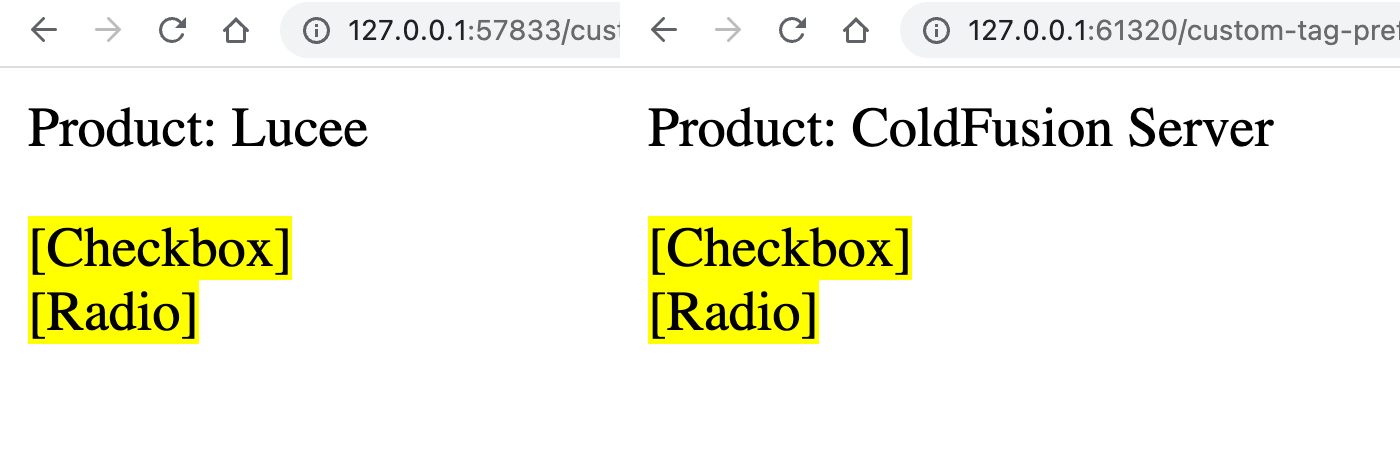
As you can see, both the Checkbox.cfm custom tag and the Radio.cfm custom tag - which live in separate directories - were both imported and consumed under the ui: prefix. This CFML feature is super convenient for related custom tags that work together but aren't necessarily collocated in the same place.

Reader Comments