
ColdFusion custom tags are just ordinary CFML templates that are executed using extraordinary mechanics. These mechanics allow custom tags templates to be used for looping, provide isolated rendering contexts, and allow for privately scopes template methods. These features aren't always obvious and are worth exploring. In this post, I want to demonstrate that the variables scope is persisted across the execution modes in a given tag invocation.
A ColdFusion custom tag can execute in two modes: start and end. The start mode is always executed. And, the end mode is only executed if the custom tag:
-
Has a closing tag or is a self-closing tag.
-
Doesn't using
exit method="exitTag"during thestartmode execution.
Unlike other languages which have some sort of a yield concept, a ColdFusion custom tag template doesn't "pause execution" in between the start and end modes. Instead, the entire CFML template, of the custom tag, is executed multiple times (once in the start mode and then one-or-more times in the end mode).
Since ColdFusion custom tags execute in an isolated context, you might think that each execution mode receives its own isolated variables scope. But, fortunately, this is not the case. While each custom tag "invocation" receives its own isolated variables scope, this variables scope is persisted across the two execution modes (within the same invocation). This allows state to be maintained throughout the entire ColdFusion custom tag life-cycle.
To demonstrate, let's create a ColdFusion custom tag that defines a value in the start mode and then outputs it in the end mode:
<cfscript>

	echo( "--- var-test.cfm executing --- <br />" );

	param name="variables.value" type="string" default="Default Value";

	// A ColdFusion custom tag template will execute ONCE if there's only a start tag; or,
	// TWICE if there's both a start tag and end tag (or if the tag is "self closing").
	// But, the page context doesn't reset across execution modes.
	// --
	// NOTE: A custom tag can actually execute 2+ times if it employs loop mechanics.
	switch ( thistag.executionMode ) {
		case "start":

			echo( "[START MODE]: #value#. <br />" );
			// Update the value so that we can see this value persisted in the variables
			// scope across execution modes.
			value = "Value updated in START mode";

		break;
		case "end":

			echo( "[END MODE]: #value#. <br />" );

		break;
	}

</cfscript>
We output the value during each mode; but update it at the end of the start mode. Now, we need to invoke this custom tag such that both the start mode and the end mode are executed:
<cfscript>

	cfmodule( template = "./var-test.cfm" ) {
		echo( "Tag body. <br />" );
	}

</cfscript>
Now, when we run this Lucee CFML code, we get the following output:
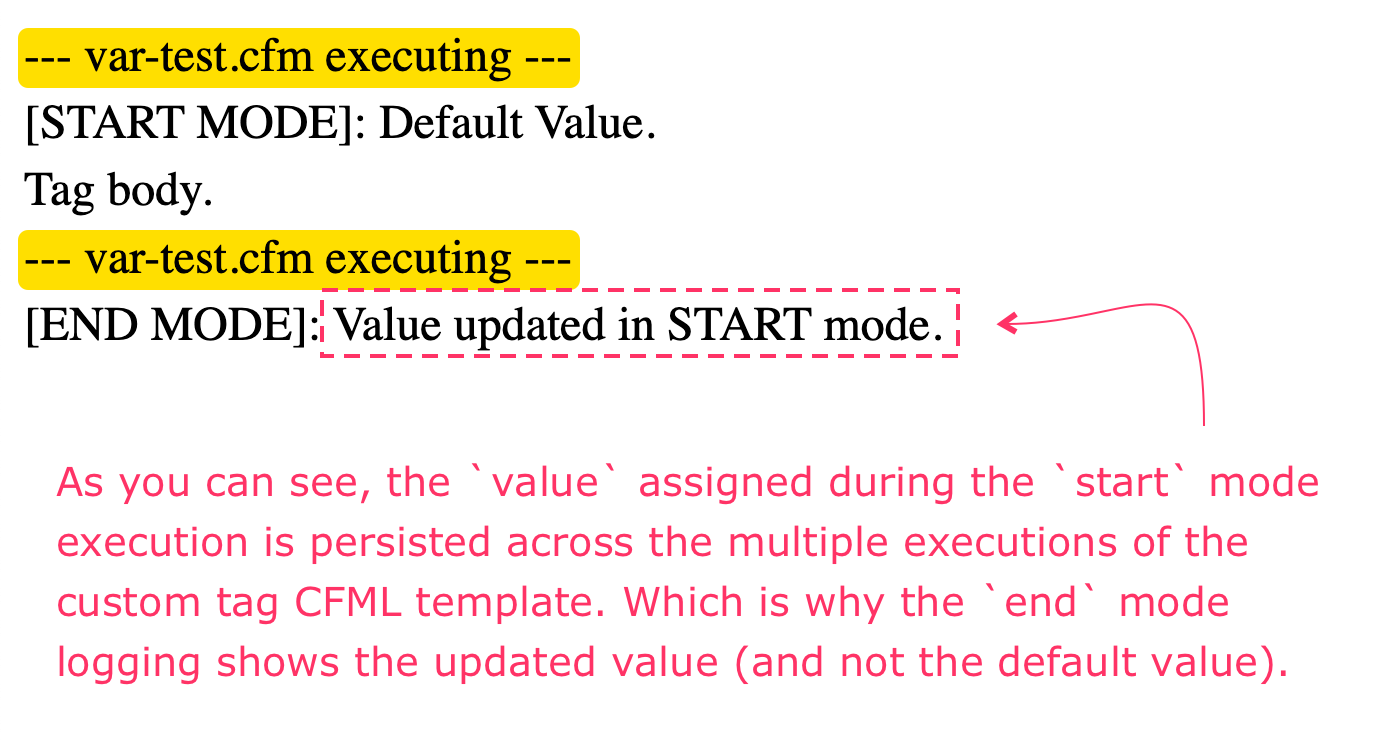
As you can see, the value assigned during the start mode execution is the same value logged during the end mode execution. This is because the same variables scope is used across all executions within a single custom tag invocation.
Aside: This behavior is the same for both the
thistagandattributesscope. Changes made to these two scopes during thestartmode execution will also be reflected during theendmode execution as well.
The mechanics of the ColdFusion custom tag "just work" in most scenarios; which is why it's very easy to never think too deeply about how they actually work. But, the more you understand the mechanics, the more value you can extract from this beautiful CFML feature!

Reader Comments
Post A Comment — ❤️ I'd Love To Hear From You! ❤️
Post a Comment →