
Over at PAI, the manufacturing process involves the specification of quality measurements for machined parts. That is, defining dimensions and then providing acceptable values for the upper-and-lower bounds of said dimensions. For example, the tolerance on a "bore hole" in a particular part might be 30mm plus-or-minus 0.75mm. In the web UI (user interface) for defining these tolerances, I'm using JavaScript regular expressions to parse the quality measurement description; and then automatically apply the +/- maths for the engineer if possible.
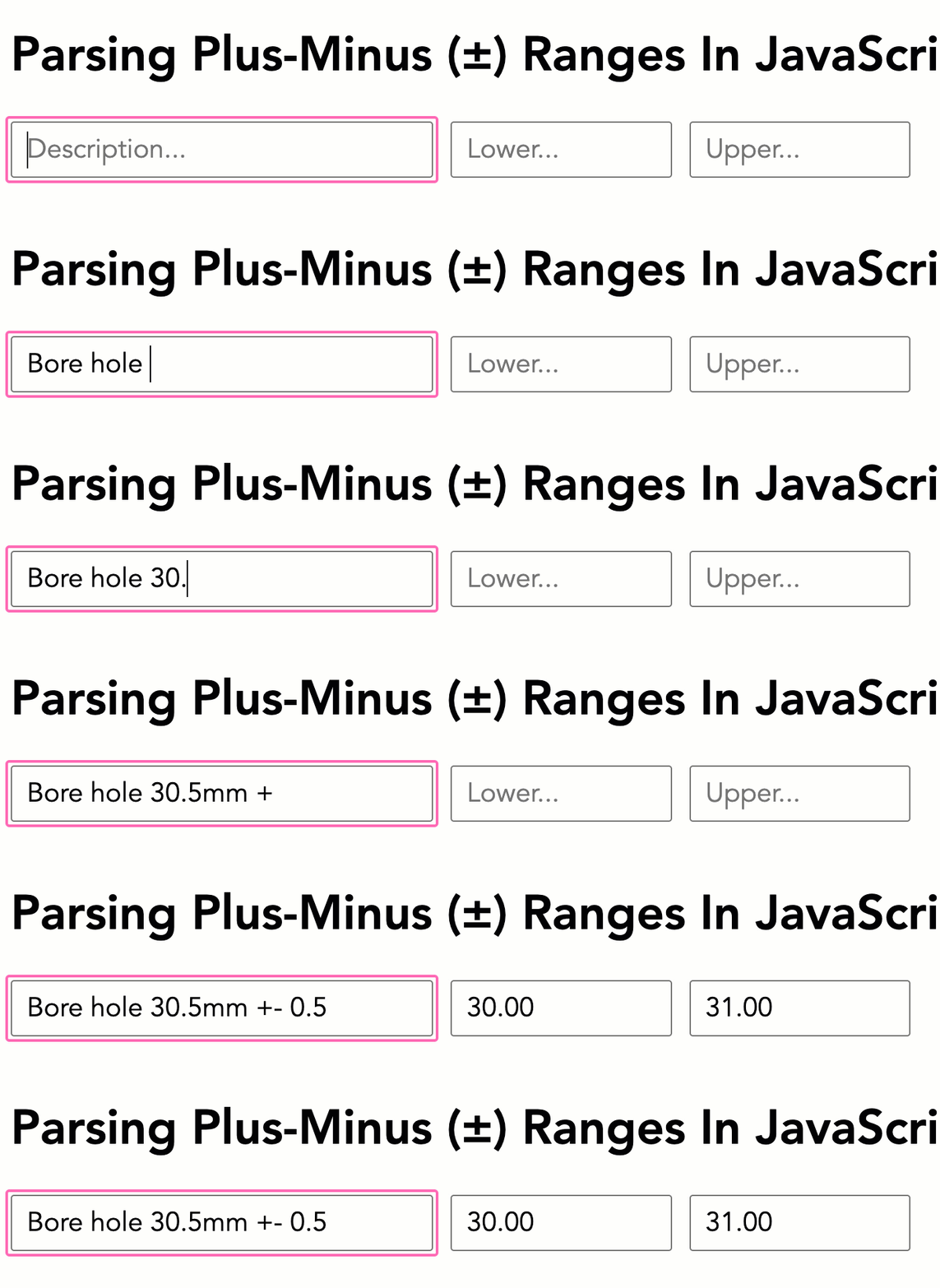
Run this demo in my JavaScript Demos project on GitHub.
View this code in my JavaScript Demos project on GitHub.
When building the quality measurements experience, I had a large corpus of sample data to look at. And from what I can see, humans are very inconsistent. The expression "30mm" plus-or-minus "0.5mm" might be typed as any of the following:
30 +- 0.530+-0.530+-.530 + - .530mm +|- 0.530 mm +|- 0.530.0 +/- .530.0 ± .5- if pasting from something fancy.
Instead of attempting to get every engineer using the web app to stick to a single consistent entry format, I attempted to meet the engineers where they were. This is where regular expressions come into play.
Regular expressions allow me to capture a rough approximation of the intent that the engineer is trying to express. And roughly speaking, numbers mostly look like this:
/([\d.]+)( ?\w+)?/
Which is "some sequence of digits and periods" (ex 30.5) followed by an optional "sequence of word characters" (ex mm).
And roughly speaking, the plus-or-minus separators mostly look like this:
/(\+[|\\\/ ]*-|±)/
Which is + and - with some optional infix characters; or, the plus-minus unicode character.
I can then combine these into a single regular expression pattern by joining their .source properties together. The capturing groups - the parts of the pattern wrapped in parenthesis - are then returned in the match and can be parsed using parseFloat().
To see this in action, I've put together a small demo in which I watch for input events on a "description" control, inspect the current value, and attempt to perform the range maths automatically:
<!doctype html>
<html lang="en">
<body>
<h1>
Parsing Plus-Minus (±) Ranges In JavaScript
</h1>
<form>
<input type="text" name="description" placeholder="Description..." />
<input type="text" name="rangeMin" placeholder="Lower..." />
<input type="text" name="rangeMax" placeholder="Upper..." />
</form>
<script type="text/javascript">
var form = document.querySelector( "form" );
var description = form.elements.description;
var rangeMin = form.elements.rangeMin;
var rangeMax = form.elements.rangeMax;
description.oninput = extractRange;
/**
* I parse the description and look for "BASE +- DELTA" expressions that can be
* used to automatically calculate upper/lower limits on the given measurement.
*/
function extractRange() {
// Allow for numbers like "30mm" or "3.5 in".
var numberPattern = /([\d.]+)( ?\w+)?/;
// Allow for plus/minus variations like "+-" or "+/-" or "+|-". Note that both
// the "+" and "-" have to be present if you're not using the special unicode
// Plus-Minus sign. This helps prevents false-positives.
var plusMinusPattern = /(\+[|\\\/ ]*-|±)/;
// For better readability, we're constructing the more robust pattern from the
// individual pattern sources (separated by optional spaces). This is easier
// than reading one large pattern.
var rangePattern = new RegExp(
`${ numberPattern.source } *${ plusMinusPattern.source } *${ numberPattern.source }`,
"i"
);
var matches = description.value.match( rangePattern );
// The pattern couldn't be found in the description - no maths to do.
if ( ! matches ) {
return;
}
var baseValue = parseFloat( matches[ 1 ] );
var deltaValue = parseFloat( matches[ 4 ] );
// Since this is a +/- calculation, we need both values to be non-zero in
// order for the maths to make sense.
if ( ! baseValue || ! deltaValue ) {
return;
}
rangeMin.value = ( baseValue - deltaValue ).toFixed( 2 );
rangeMax.value = ( baseValue + deltaValue ).toFixed( 2 );
}
</script>
</body>
</html>
Note that for this demo, I'm always overwriting the min/max controls. But, in a production application, I would only apply the maths if those controls were empty. That said, if we run this demo and enter some data, we'll see the parsing happening (in the GIF captured above).
Regular expressions are the bee's knees!

Reader Comments
Post A Comment — ❤️ I'd Love To Hear From You! ❤️
Post a Comment →