
Yesterday, when I was giving my post on pagination using LIMIT and OFFSET in MySQL a once-over, I noticed that my code samples - which are powered by GitHub Gists - were rendering super wonky. When I inspected the runtime styles of the page, it appears that GitHub made a recent breaking change to the white-space property used within their "line of code" CSS class. To "fix" this (ie, turn off "word wrap" for my code snippets), I had to upload a CSS override to my blog:
body .gist .blob-code-inner {
	white-space: pre ;
}
They were using white-space: pre-wrap. I had never heard of this option before. The Mozilla Developer Network (MDN) defines this as:
pre-wrap: Sequences of white space are preserved. Lines are broken at newline characters, at<br>, and as necessary to fill line boxes.
I don't know what "as necessary to fill line boxes" means; but, apparently that is what is causing my code to wrap. Overriding their CSS with pre fixed it. You can see how my code renders when I toggle my override white-space property on-and-off:
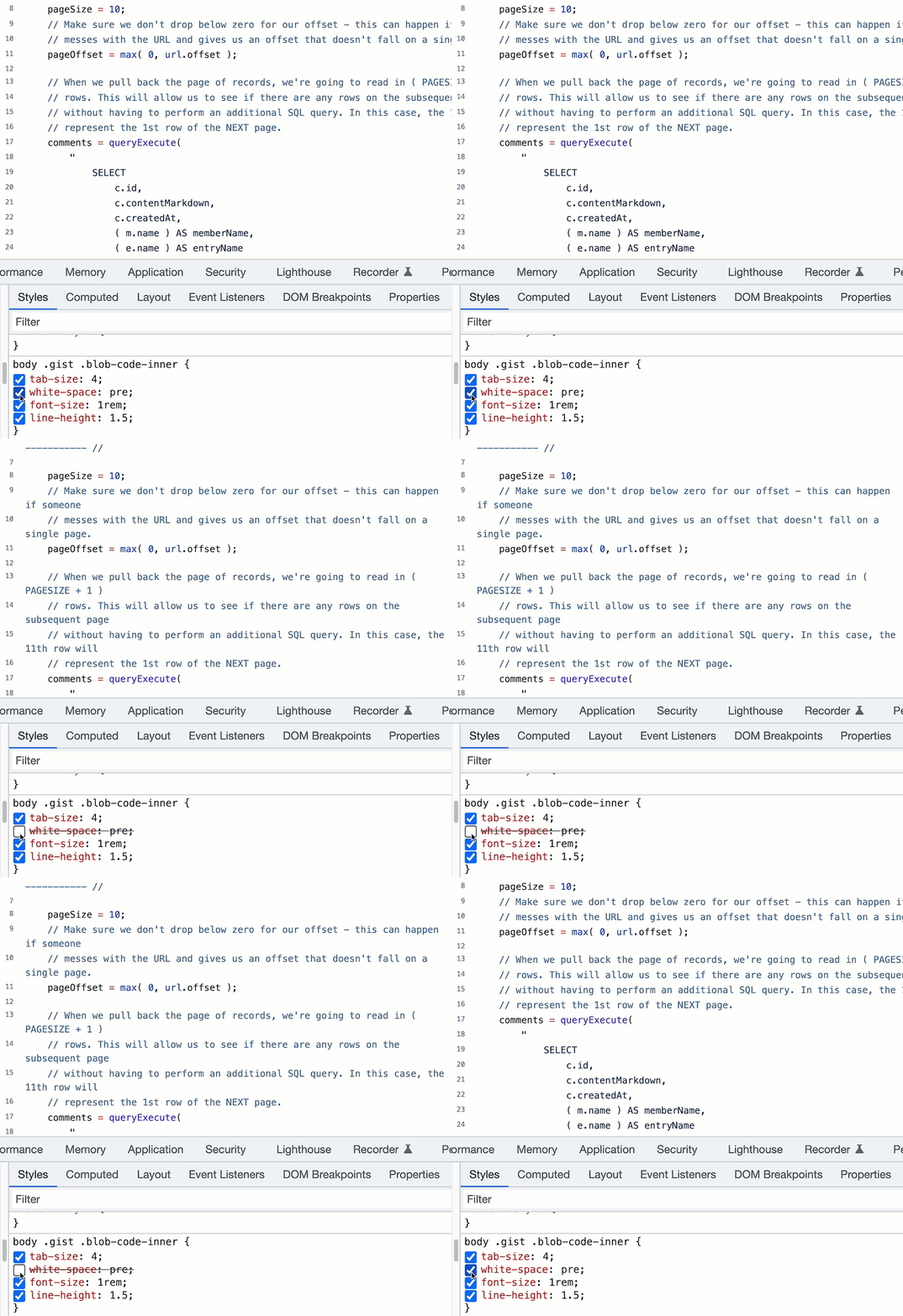
Seems like an odd breaking change for GitHub to make - I can't imagine that many people find code wrapping easy to ready. But, at least it was easy to fix on my end.

Reader Comments
Thanks for posting this workaround. I linked this to a discussion about this issue: https://github.com/community/community/discussions/42298
@Gustavo,
Thank you for linking to the discussion, I wasn't aware that was happening. Heck, I didn't even know there was a GitHub community forum 🙃 Glad to know that I'm not the only one that finds this change very strange.