
After my post yesterday, on bucketing dates using floor() in ColdFusion, James Moberg mentioned on Twitter that he prefers to tokenize his dates using the various date parts. This creates a human-friendly token as opposed to the proprietary numeric representation that I was using in my post. Using the numeric representation makes things like looping super easy; but, can make debugging a bit harder. As such, I wanted to take a moment and think about James' approach to tokenizing date/time values in Lucee CFML 5.3.7.47.
A few months ago, I looked as using masks in ColdFusion's parseDateTime() function in order to handle "nullish" dates coming out of a database. With parseDateTime(), the "mask" argument tells ColdFusion which string characters represent which date/time components. We can also use these same mask values in ColdFusion's formatDateTime() function. What this means is that we can use date/time masks to cast dates to-and-from a token.
If we want to generate a "short" token, with just the date parts, we can use the mask:
yyyymmdd
If we want to generate a "long" token, which includes both the date and time parts, we can use the mask:
yyyymmddHHnnss
To see this in action, let's grab the current date, convert it to both types of tokens, and then try to convert those tokens back into native ColdFusion dates:
<cfscript>

	today = dateConvert( "local2utc", now() );

	echo( "<h1> Tokenizing Date/Times </h1>" );
	dump( today );

	// We can "tokenize" the date by creating a simple, sortable string representation of
	// the date-parts. The Short token has day-level granularity, the long token has
	// second-level granularity.
	shortToken = toShortToken( today );
	longToken = toLongToken( today );

	echo( "<h2> To Tokens </h2>" );
	dump( shortToken );
	dump( longToken );

	// We can then convert those tokens back into dates. Since the token is really just a
	// "date mask", we can (internally) use the parseDateTime() to easily convert the
	// strings back into native ColdFusion dates.
	echo( "<h2> From Tokens </h2>" );
	dump( fromShortToken( shortToken ) );
	dump( fromLongToken( longToken ) );

	// ------------------------------------------------------------------------------ //
	// ------------------------------------------------------------------------------ //

	/**
	* I return an 8-character token for the given date.
	*/
	public string function toShortToken( required date value ) {

		return( dateTimeFormat( value, "yyyymmdd" ) );

	}

	/**
	* I return a date for the given 8-character token.
	*/
	public date function fromShortToken( required string token ) {

		return( parseDateTime( token, "yyyymmdd" ) );

	}

	/**
	* I return an 14-character token for the given date.
	*/
	public string function toLongToken( required date value ) {

		return( dateTimeFormat( value, "yyyymmddHHnnss" ) );

	}

	/**
	* I return a date for the given 14-character token.
	*/
	public date function fromLongToken( required string token ) {

		return( parseDateTime( token, "yyyymmddHHnnss" ) );

	}

</cfscript>
As you can see, all we're doing here is using ColdFusion's built-in functions, dateTimeFormat() to tokenize the date and then parseDateTime() to un-tokenize the date. And, when we run this Lucee CFML code, we get the following output:
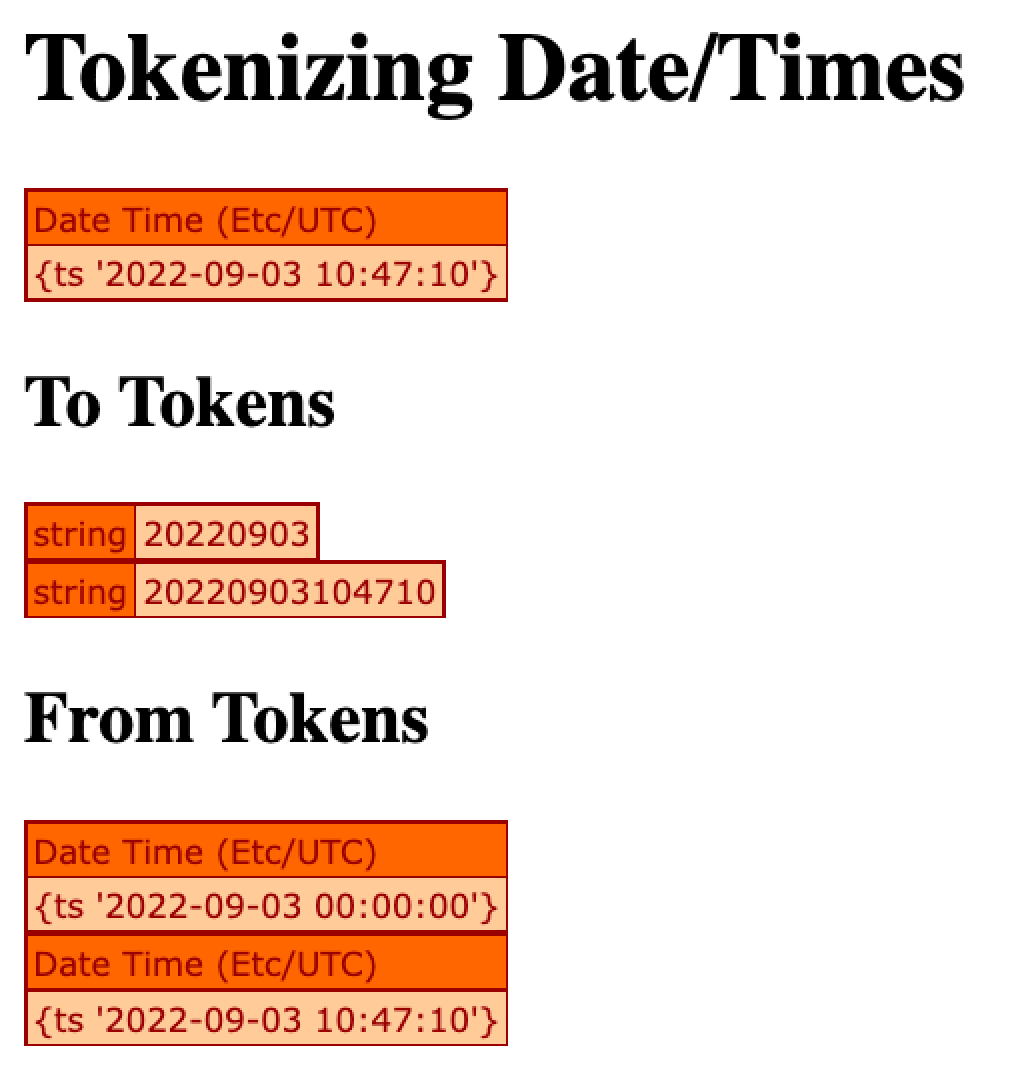
As you can see, by using dateTimeFormat(), we can create simple, human-friendly tokens for our ColdFusion date/time values. In this case, the tokens are Strings; but, we could just as easily have generated numeric tokens by wrapping our return values in val():
return( val( dateTimeFormat( .... ) ) );
I still believe that the numeric date representation is the preferable way for my post yesterday on bucketing dates; but, that's primarily because it makes the looping over date-ranges very straightforward. That said, being able to use masks to convert back-and-forth between dates and tokens is a really nice feature of ColdFusion. And, a technique like this is especially helpful when persisting data outside of the ColdFusion process (such as to a filename or a URL slug).

Reader Comments