
Hey, do you know any way to Parse word XML data? I am trying to extract name, address, job info, etc., from a resume that was converted to XML.
My first response to this person was basically "Hell No". Dealing with Microsoft Word in any way, from an XML point of view, is basically a sure fire way to end up killing yourself (or anyone else who happens to be around you). If you've ever looked a Microsoft Word XML document, immediately your eyes hurt and I have even heard of cases where people start to bleed from their left ear. It is the craziest, longest, most convoluted XML ever imagined. When I look at it, I imagine some guys at Microsoft snickering to themselves that people on the outside actually have to deal with this.
After I responded to this person, I couldn't quite let it go. See, as ugly as it is, the Microsoft Word XML is still valid XML (terrifying, I know), which means that ColdFusion can parse it. In fact, if we saved this fairly small document as XML:
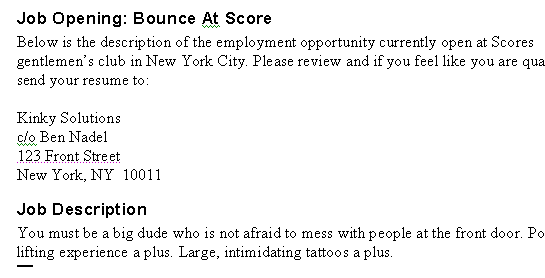
And, then we simply read it in using CFFile and parse it using XmlParse():
<!--- Read in the Microsoft Word XML file. --->
<cffile
	action="read"
	file="#ExpandPath( './document.xml' )#"
	variable="strMSWordData"
	/>


<!---
	Parse the Microsoft XML data into a ColdFusion
	XML document.
--->
<cfset xmlDoc = XmlParse( strMSWordData ) />


<!--- Output the XML document. --->
<cfdump
	var="#xmlDoc#"
	label="Full Microsoft Word XML Data"
	/>
... we end up getting a CFDump like this:
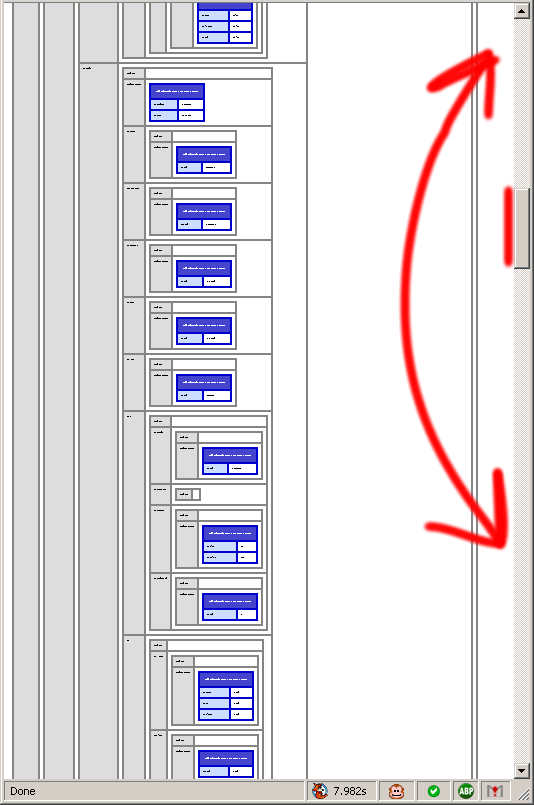
As you can see (sort of) the XML does parse properly and does return an XML document. But, even zoomed out as much as FireFox would let me (CTRL+-), I couldn't get more than just a fraction of the XML document on my screen (notice the scroll bars). So, even though it does parse, I just feel like it doesn't give us anything useful.
But, again, it is valid XML. And as such, I thought maybe we could come up with a way to clean it up and put it into a form that we could actually use. After studying the Microsoft Word XML document followed by another hour of struggling with some regular expressions, this is what I came up with:
<!--- Read in the Microsoft Word XML file. --->
<cffile
	action="read"
	file="#ExpandPath( './document.xml' )#"
	variable="strMSWordData"
	/>

<!---
	Strip out all line breaks to make our regular
	expressions easier to handle and read (when we
	have no line breaks, we can use the (.) operator
	as the wild card.
--->
<cfset strMSWordData = strMSWordData.ReplaceAll(
	"[\r\n\t]+",
	" "
	) />

<!--- Strip out all name spaces and tag attributes. --->
<cfset strMSWordData = strMSWordData.ReplaceAll(
	"(?i)(</?)(?:[^:\s>]+:)?(\w+).*?(/?>)",
	"$1$2$3"
	) />

<!--- Strip out processing directives. --->
<cfset strMSWordData = strMSWordData.ReplaceFirst(
	"(?i).+?(<worddocument)",
	"$1"
	) />

<!--- Strip out all "other" tags. --->
<cfset strMSWordData = strMSWordData.ReplaceAll(
	"(?i)</?(?!worddocument\b|body\b|p\b)\w+.*?/?>",
	""
	) />


<!---
	Parse the Microsoft XML data into a ColdFusion
	XML document.
--->
<cfset xmlDoc = XmlParse( strMSWordData ) />


<!--- Output the XML document. --->
<cfdump
	var="#xmlDoc#"
	label="CLEANED Microsoft Word XML Data"
	/>
Here, I am stripping out most of the tags as I possibly can while still maintaining some sort of document form. This is the CFDump output I get from this cleaned up ColdFusion XML document:
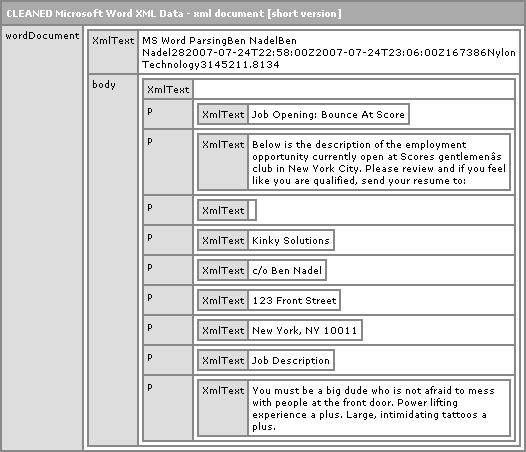
As you can see, this is MUCH easier to at least read than that massive - I need a PhD just wrap my head around it - Microsoft Word XML document. But, of course, easier to read doesn't necessarily mean easier to use. Frankly, I think that Microsoft Word does not produce consistent enough XML to really create anything usable. At least with this this simplified format you can really on some powers of string parsing / manipulation to help you get things done.
So, long story short, not a Solution, but maybe a step in the right direction when it comes to dealing with Microsoft Word XML in ColdFusion. And, of course, Microsoft Word XML is SOOO inconsistent (if openned up MS word and re-wrote the above document, it would probably not be the same XML), who knows if these regular expressions would even work again.

Reader Comments
Ben, I hear what you are saying but it's a good attempt anyway. Hopefully, Microsoft will standardize their crap at some point in the future. Keep up the cool stuff coming.
Thanks, this XML into CF works well. Anyway to know which fields are which instead of all just named XMLText?
@Darrin,
I am not sure. I think what ever Microsoft puts in there is gonna be unpredictable.
I am using this above code to read both core.xml and custom.xml of the meta data for office documents.
However I am wondering how I could update or add new values into the xml?
On the other hand, is there better/updated code around that can successfully read/update the meta data of office documents?