
Matthew McCullough And Tim Berglund On Mastering Git - O'Reilly Video Series
My experience with Source Control is fairly limited. In the past, I've used SVN; but, only in the lightest-touch-way possible. At InVision, we use Git and GitHub to manage our code. At the onset of the InVision project, in order to get more familiar with Git, I purchased the two video series - McCullough and Berglund on Mastering Git and McCullough and Berglund on Mastering Advanced Git - from O'Reilly. I watched the "mastering" series before the start of the project; and, I watched the "advanced" series after about a year of hands-on work with Git and GitHub.
| |
|
|
||
| |
 |
|
||
| |
|
|
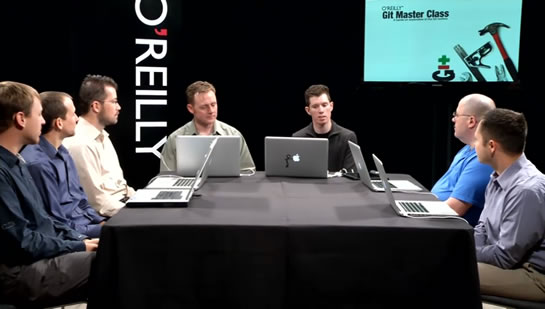
The format of the McCullough and Berglund video series is rather intriguing. It's like you're sitting in on a class that they are teaching; and, what makes this so useful is that the students in the class stop and ask questions all along the way. Unfortunately, I wish they had asked a few more questions. But, at least the questions they asked often helped elucidate the topic on hand.
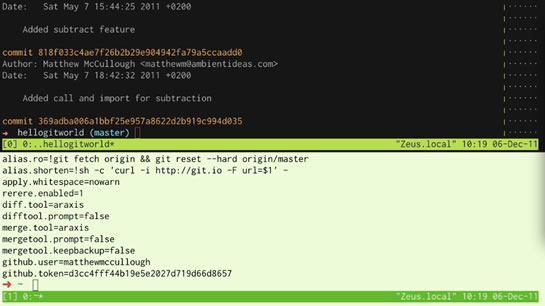
In addition to the student-teacher-interaction, McCullough and Berglund also interact on dual terminal windows. Honestly, I thought this was a stroke of genius! All of their demos were run as if they were two members on the same distributed development team - as one person committed and pushed changes, the other person pulled, merged, and resolved conflicts. This made the git commands feel very contextual and brought the topic of git down from the philosophical and into the practical.
| |
|
|
||
| |
 |
|
||
| |
|
|
The dual-terminal approach in the first video series [mastering] was good; but, the approach they used in the second video series [advanced] was much better. In the first series, the two terminal windows were side-by-side. This caused the often-long lines of git output to wrap and made readability a bit challenging. In the advanced series, however, they perfected the approach using stacked windows, one above the other. Furthermore, the performance of the terminal windows, in the second series, seemed to be greatly improved, making it easier to follow along.
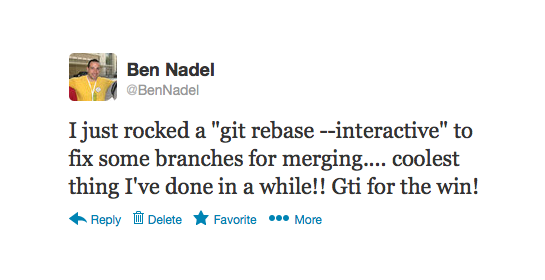
By the time I finished both series, and had a year of Git experience under my belt, I was starting to feel much more confident:
| |
|
|
||
| |
 |
|
||
| |
|
|
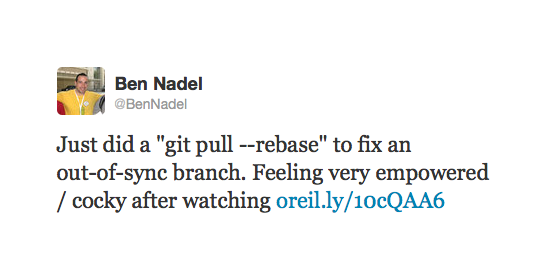
... and maybe even a little cocky:
| |
|
|
||
| |
 |
|
||
| |
|
|
But, this feeling of empowerment didn't happen over night. In fact, when I finished the first video series, I was so overwhelmed with new concepts that I still had to be hand-held though most of the basic interactions in a Git repository (thank you Jamie Krug!!!). It wasn't until after I had a year of experience with Git and watched the "advanced" series that I posted those tweets above.
After I finished the "advanced" series, I went back (last week) and re-watch the original "mastering" series. And, with a little experience under my belt, the "mastering" series made so much more sense. Now that I have a basic understanding of branches, the DAG (Directed Acyclic Graph), and the ref spec, re-watching the "mastering" series filled-in many conceptual gaps and helped me transcend from "memorizing formulas" to actually understanding what was going on under the hood.
If I could do it all over again, I would have:
- Watched the "advanced" series.
- Done a month of hands-on work.
- Re-watched the "advanced" series.
- Done another month of hands-on work.
- Watched the "mastering" series.
I think if I had followed this game plan, I would currently have a much stronger understanding of Git; and, I think I would have been far more productive this last year (in terms of Git). That said, it's definitely a strong product and one that has truly helped me wrap my head around a rather complex and hairy topic.

Reader Comments
Agreed Ben, these videos are really instructive.
I bought the first one when it first came out. I didn't know there was a second one till you blogged about it today. So I just purchased it. Thanks for the heads up.
@Tim,
No problem, my pleasure! And, thanks for the Git help you've given me as well :)
Rock on!
Git sounds intimidating.
@Orville,
It definitely has a learning curve, not the least of which is the command-line nature of it. That said, there are a number of User Interfaces that I've seen people use that make navigating around Git's features a bit more natural to the end user. While, I've not tried this myself, I hear good things about:
GitX - http://gitx.frim.nl/
Github For Mac - http://mac.github.com/
While the name of the last one implies that it works only with GitHub, I have seen people use it with any service that hosts git repositories.