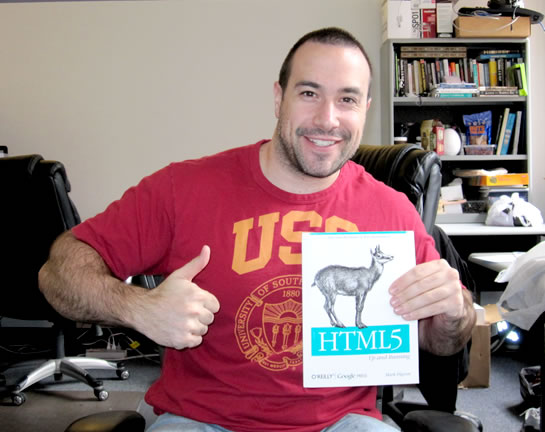
Last night, I finished reading HTML5 Up and Running by Mark Pilgrim. Subtitled, "Dive into the Future of Web Development," this book is a quick and easy read that hand-holds you through both the semantic and the Javascript sides of HTML5. Where "HTML5 For Web Designers" leaves off, this book picks up the baton and keeps on running. At 200 pages, it has a fantastic mix of topics and detailed explanations; oh, and did I mention that the entire book is also available online for free under a creative commons license?
| |
|
|
||
| |
 |
|
||
| |
|
|
One of the things that I really liked about this book was the fact that it had way too much information about video and audio compression. Inside of the Video and Audio tag explanations, Pilgrim goes on to talk about video and audio containers, how codecs work, what bit-rates mean, how copyright licensing affects supported file types, how audio works with different channels, and what kind of tools are available for video and audio packaging. He even has illustrated guides on how to produce your audio and video files using a variety of software options. While this might seem somewhat tangential to the HTML5 tags themselves, as someone who as always been in the dark as to how that stuff works, this thorough explanation was a welcome piece of insight.
In general, I found that Mark Pilgrim provided just the right amount of detail in his explanations. With things that were more obvious, like local storage, he spent less time; with things that were likely to be confusing, like Microdata, he spent more time, iterating through real-world scenarios. The depth of each explanation seemed to accurately intuit the needs of the reader.
With the number of modern and not-so-modern browsers available today, there is always going to be a concern with implementing HTML5. Pilgrim appears to advocate using the Modernizr Javascript library for feature detection; however, he also demonstrates how to manually detect many modern features. And, while he doesn't cover every new HTML5 feature, he does provide an Appendix solely for the purpose of outlining HTML5 feature detection approaches.
And, in addition to feature detection, which can be used internally, the book also outlines a number of online tools and browser extensions that can be used to determine how external clients will both view and understand your markup. These tools will help you to integrate new HTML5 tags and microdata formats while, at the same time, maintaing a semantically meaningful DOM. Examples:
All in all, I really enjoyed this book. With everything that I have been reading lately, I am starting to feel more and more comfortable with HTML5 and the future of the semantic web. While HTML5 Up and Running can't cover every bleeding-edge topic, such as Drag-and-drop and the File API, Mark Pilgrim does a wonderful job of detailing the core HTML5 tags and Javascript APIs.

Reader Comments
I thought we were not supposed to be using HTML 5 yet ;-)
Nice review btw...
@Marcos,
For the Javascript API stuff, there's some truth to that - some of the browsers simply don't support them. However, when it comes to HTML5 tags (ex. header, footer, aside), there's no reason at all that we can't start using those. IE (before IE9) requires the use of a tiny piece of Javascript (HTML5Shiv or Modernizr) in order to be able to style the new unsupported elements; but in general, the tags are fair game!
USC sucks. Boycotting your blog until further notice ;)
@John,
Ha ha ha, the irony of it is that I got that tee shirt at Old Navy for $8 and know absolutely nothing about the team... I actually know almost nothing about sports in general.
@Ben - All the more reason to flush that thing down the toilet. Consider it an $8 learning experience :)
@John,
Ha ha - I'm definitely considering it; when wearing this shirt, I've actually been accosted by drunk women who feel the need to curse at me about players on the team.
The problem with drunk people is that when you tell them, "I have no idea what you're talking about," it only eggs them on :)
Maybe not using HTML 5 for all things, but changing text types for email or numeric inputs won't break a thing and makes for a better iPhone experience (I didn't realise keyboard layouts altered until quickly skimming through this book)
I have started using HTML5 for all sites I do and have loved the use of header, footer etc tags. Makes the code a lot nicer to read!
Would like to read a few more books on HTML5 and so of the features I still need to learn, maybe will put some money aside for this book :)
@Garry - Sadly, that's not entirely true. Some of the HTML5 input types can't be styled yet in Google Chrome, and they simply don't exist yet in other browsers -- and there's no way to predict how they will behave in the early versions of them when the tags do begin to see some adoption.
What if they are poorly supported in the next version of IE or Firefox, to the extent that it impedes on the user experience? I am avoiding some of the HTML tags and attributes that I can't test in all the class-A browsers, for the moment.
That said, some of the form stuff was way too good to wait for, so I implemented them in JavaScript (via jQuery plugin) to enable HTML5-based validation in any browser:
http://ericleads.com/h5validate/
@Eric
Fair point, was just initially impressed with the keyboard changes on Apple products which would certainly help at least one of my sites. Maybe perform a user agent detection and trigger type="email" if applicable.
Another good article,
Thanks Ben,
Philip
@Ben,
I think, in the firstie post, Marcos was referring to an announcement by W3C yesterday exhorting developers not to start coding to the HTML5 spec yet. They got largely shouted down in the non-flame threads of Slashdot as being out of touch with coders' needs:
http://tech.slashdot.org/story/10/10/06/1440246/W3C-Says-Dont-Use-HTML5-Yet
And yeah, I was impressed by all the video and audio stuff too. Mark works for Google and they own YouTube, so I guess that makes a ton of sense.
I'm trying to get some truly nifty HTML5 code moved outside our firewall right now. When it's out there, so you can see it, I'll send you some URLs.
@Garry,
One of the problems with type="email" in WebKit browsers is that it can interdict the submit without any error message to the user. So say: (input type="email" novalidate) and add your own onchange handler that provides feedback. Opera will also interdict the submit, but they at least give users some feedback about what they did wrong.
@Garry,
Yeah the keyboard stuff is cool on the iPhone where we are not working with full keyboards; though, as @Steve suggests, the input type *can* lead to submission problems, so take proper steps to get around that.
@Jonathon,
I happen to like physical books; but, you can get this particular book online for free, though not entirely in "book" format.
@Philip,
Thanks my man!
Accosted by drunk women? ;-)
And I like physical books, too. Especially when you start seeing waves after staring at the monitor screen for too long.
I'm hoping, praying for a Kindle in the near future that I'll be able to read on the go when I don't feel like lugging around thick books.
@Lola,
I think there's something nice about a physical book. I like being able to randomly flip through a book that I've read; sometimes it just helps me think - catching random titles and words. It might just be emotional :)
Great post!
HTML 5 look promising in the future. I'll wait for further developement untill the old browser, who doesn't support HTML 5, are more out of the picture.
@Joeri,
While there are parts of HTML5 that cannot be used fully cross-browser, the semantic aspects of HTML5 can be used everywhere so long as you include something like Modernizr or HTML5Shiv. These are tiny Javascript libraries that ensure that IE can style the new tags.