
Creating Colors Gradients With ImageUtils.cfc ColdFusion Component
This morning, I updated the ImageUtils.cfc image manipulation component for ColdFusion 8. I gave it the ability to create gradients; well, not really create them just yet, but rather to calculate them. Creating them in rectangles will probably come in the next update. Right now, you can use the CalculateGradient() method to find all the color steps (including the alpha channel) between a From color and a To color over a given number of steps. To demonstrate this, let's calculate the color gradient between black and dark blue and then output each of those color steps in an HTML Div:
<!---
	Transition from black to meidum blue. In order to do this,
	we are going to need to get the RGB values for each hex
	color value.
--->
<cfset objFromColor = HexToRGB( "##000000" ) />
<cfset objToColor = HexToRGB( "##3300CC" ) />

<!---
	Calculate color gradient based on 400 steps. This will
	return an array of length 400 in which each index holds the
	given color of that step of the gradient.
--->
<cfset arrGradient = CalculateGradient(
	objFromColor,
	objToColor,
	400
	) />

<!--- Loop over the color steps in the gradient. --->
<cfloop
	index="objColor"
	array="#arrGradient#">

	<div style="height: 1px ; background-color: rgb( #objColor.Red#, #objColor.Green#, #objColor.Blue# );">
		<br />
	</div>

</cfloop>
As you can see, we get the array of color gradient steps. Then, we loop over that array and output a Div with the given RGB background color of the given current gradient step. Running this code, we get the following HTML output:
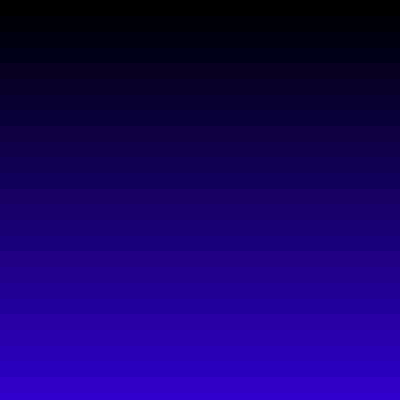
Now, in order to do this, we are using two functions (both of which have been added to the ImageUtils.cfc). The first is HexToRGB(). This function simply takes your 6 digit HEX color value and returns a struct that contains a Red, Green, and Blue key with the equivalent decimal values for the different color channels. This is just going to be a utility function that is used by other methods of the ImageUtils.cfc (I probably have to go back and factor this into some other methods). This method is really small:
<cffunction
	name="HexToRGB"
	access="public"
	returntype="struct"
	output="false"
	hint="Takes a 6 digit hex value and returns a struct with Red, Green, and Blue keys.">

	<!--- Define arguments. --->
	<cfargument
		name="Hex"
		type="string"
		required="true"
		hint="The 6 digit hex color value."
		/>

	<!--- Define the local scope. --->
	<cfset var LOCAL = {} />

	<!--- Remove any non-hex values. --->
	<cfset ARGUMENTS.Hex = REReplace(
		ARGUMENTS.Hex,
		"(?i)[^0-9A-F]+",
		"",
		"all"
		) />

	<!--- Get the decimal value of this hex. --->
	<cfset LOCAL.DecimalColor = InputBaseN( ARGUMENTS.Hex, "16" ) />

	<!--- Create the RGB struct. --->
	<cfset LOCAL.Return = {
		Red = BitSHRN(
			BitAnd( LOCAL.DecimalColor, InputBaseN( "FF0000", 16 ) ),
			16
			),
		Green = BitSHRN(
			BitAnd( LOCAL.DecimalColor, InputBaseN( "00FF00", 16 ) ),
			8
			),
		Blue = BitAnd( LOCAL.DecimalColor, InputBaseN( "0000FF", 16 ) )
		} />

	<!--- Return RGB color. --->
	<cfreturn LOCAL.Return />
</cffunction>
Then, the primary method for this example is the CalculateGradient() method. This takes the From color in RGBA struct format, the To color also in RGBA struct format, and the number of steps over which to create the gradient. Right now, the gradient is a linear gradient; perhaps in the future, there will be more of an "easing" gradient available. In order to make this utility function as reusable as possible, is simply calculates the color at each step of the gradient and returns an array containing every single one of those colors (one color/step per array index). This way, the gradient calculation can be used by many other methods that require gradient work.
<cffunction
	name="CalculateGradient"
	access="public"
	returntype="array"
	output="false"
	hint="Given a From and To structure that contain Red, Green, Blue, and Alpha keys, it will return the equivalent structs for each step of the gradient.">

	<!--- Define arguments. --->
	<cfargument
		name="FromColor"
		type="struct"
		required="true"
		hint="A struct containing Red, Green, Blue and an optoinal Alpha key (alpha defaults to 255 if not included)."
		/>

	<cfargument
		name="ToColor"
		type="struct"
		required="true"
		hint="A struct containing Red, Green, Blue and an optoinal Alpha key (alpha defaults to 255 if not included)."
		/>

	<cfargument
		name="Steps"
		type="numeric"
		required="true"
		hint="The number of steps overwhich to calculate the gradient."
		/>

	<!--- Define the local scope. --->
	<cfset var LOCAL = {} />


	<!--- Param the alpha values. --->
	<cfparam
		name="ARGUMENTS.FromColor.Alpha"
		type="numeric"
		default="255"
		/>

	<cfparam
		name="ARGUMENTS.ToColor.Alpha"
		type="numeric"
		default="255"
		/>


	<!---
		Find the differences between the two and from colors.
		We will getting this by finding the difference of each
		color chanel in RGB format.
	--->
	<cfset LOCAL.RedDelta = (ARGUMENTS.ToColor.Red - ARGUMENTS.FromColor.Red) />
	<cfset LOCAL.GreenDelta = (ARGUMENTS.ToColor.Green - ARGUMENTS.FromColor.Green) />
	<cfset LOCAL.BlueDelta = (ARGUMENTS.ToColor.Blue - ARGUMENTS.FromColor.Blue) />
	<cfset LOCAL.AlphaDelta = (ARGUMENTS.ToColor.Alpha - ARGUMENTS.FromColor.Alpha) />

	<!---
		Based on the number of steps that we want to define the
		gradient, find the step for each color delta.
	--->
	<cfset LOCAL.RedStep = (LOCAL.RedDelta / ARGUMENTS.Steps) />
	<cfset LOCAL.GreenStep = (LOCAL.GreenDelta / ARGUMENTS.Steps) />
	<cfset LOCAL.BlueStep = (LOCAL.BlueDelta / ARGUMENTS.Steps) />
	<cfset LOCAL.AlphaStep = (LOCAL.AlphaDelta / ARGUMENTS.Steps) />


	<!--- Create an array to hold the color steps. --->
	<cfset LOCAL.Gradient = [] />

	<!--- Create a start color. --->
	<cfset LOCAL.Color = StructCopy( ARGUMENTS.FromColor ) />

	<!--- Loop over color differences to calculate. --->
	<cfloop
		index="LOCAL.StepIndex"
		from="1"
		to="#ARGUMENTS.Steps#"
		step="1">

		<!--- Store the gradient step. --->
		<cfset ArrayAppend(
			LOCAL.Gradient,
			StructCopy( LOCAL.Color )
			) />

		<!---
			Increment color. In order to make sure that the
			gradient steps get used appropriatly, add the steps
			directly the FROM color rather than to the previous
			color index. This will prevent the Fix() function
			from stopping our gradient if the increment is too
			small.
		--->
		<cfset LOCAL.Color.Red = Fix( ARGUMENTS.FromColor.Red + (LOCAL.RedStep * LOCAL.StepIndex) ) />
		<cfset LOCAL.Color.Green = Fix( ARGUMENTS.FromColor.Green + (LOCAL.GreenStep * LOCAL.StepIndex) ) />
		<cfset LOCAL.Color.Blue = Fix( ARGUMENTS.FromColor.Blue + (LOCAL.BlueStep * LOCAL.StepIndex) ) />
		<cfset LOCAL.Color.Alpha = Fix( ARGUMENTS.FromColor.Alpha + (LOCAL.AlphaStep * LOCAL.StepIndex) ) />

	</cfloop>


	<!--- Return gradient array. --->
	<cfreturn LOCAL.Gradient />
</cffunction>
Right now, I am concentrating on laying a foundation of small utility functions. Once we get a good base of these, we can start to make some more complex functions.
Want to use code from this post? Check out the license.

Reader Comments
Ben,
As always, great work!
@Chris,
Thanks man. I think we are gonna get some cool stuff going here.
Ben, notice the subtle jumps in gradient you get at certain steps. I wonder if you would get an even smoother gradient if you converted RGB to HSV and did all the work there? From what I've done in the past, I don't think it was possible to do a straight Hex-HSV conversion, but had to go through RGB first.
@Duncan,
I definitely notices the gradient steps. However, my monitor doesn't really handle gradients very well for display. I tried creating a gradient in FireWorks and noticed that it had those same steps in the program. As such, I figured that was just the best I could do.
What is this HSV you are talking about? I am not familiar with this?
Hue, Saturation and Value. I did some work on colour gradients not too long ago (automatically working out different menu colours for dynamically nested menus), and I did it using HSV instead of RGB. So I knew I was going from say light red to dark red, which is very easy to do in HSV. At least I think that was the reasoning...
@Duncan,
Sounds interesting. I will take a look into it. But, the key things here is that since this method encapsulates the gradient calculation, I can definitely swap it out later and not worry about what other parts of the code reference it :)
Isn't there a <cfoutput>...</cfoutput> missing in the first part of the code:
<div style="height: 1px ; background-color: rgb( #objColor.Red#, #objColor.Green#, #objColor.Blue# );">
should be
<div style="height: 1px ; background-color: rgb( <cfoutput>#objColor.Red#</cfoutput>, <cfoutput>#objColor.Green#</cfoutput>, <cfoutput>#objColor.Blue#</cfoutput> );">